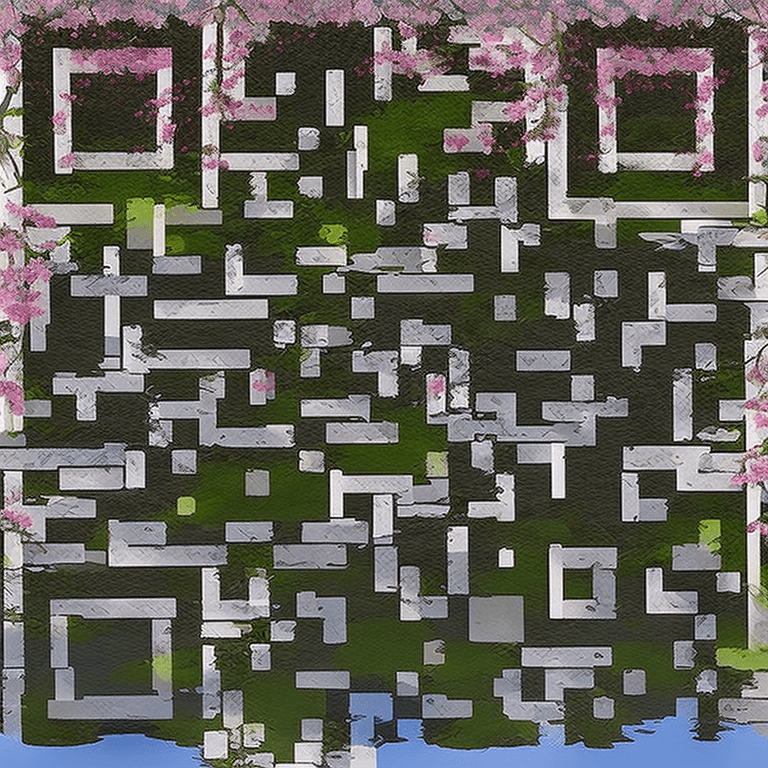
AI QR Code Generator for Weddings

Add a touch of magic to your wedding with beautiful AI-styled QR codes. Link to your RSVP page, photo gallery, registry, or wedding website.

AI QR Code example for wedding

How to Create Your QR Code

  1. 1Enter your wedding website or RSVP link
  2. 2Choose an elegant style — Cherry Blossom and Watercolor are popular for weddings
  3. 3Generate your unique QR code
  4. 4Download the high-resolution image
  5. 5Add to invitations, table cards, or signage

Frequently Asked Questions

What can I link to with a wedding QR code?

Popular links include: wedding website, RSVP form, photo sharing album, gift registry, event schedule, or directions to the venue.

Can I match the QR code to my wedding theme?

Yes! Our AI styles can be customized. Cherry Blossom works great for spring weddings, Watercolor Art for rustic themes, and Geometric Minimal for modern celebrations.

How many QR codes do I need for a wedding?

Most couples create 2-3: one for the invitation (RSVP/website), one for the reception (photo sharing), and one for the gift registry.

Will older guests be able to scan it?

Yes — any modern smartphone (iPhone or Android from the last 5+ years) can scan QR codes with just the camera app. No special app needed.

Can I add the QR code to a digital invitation?

Absolutely! Download the PNG and place it in your digital invite. It works from screens just as well as print.

Ready to Create Your Weddings QR Code?

It takes less than 30 seconds. Free, no signup required.

✨ Create Now — Free

Other QR Code Use Cases