AI QR Code Generator for Events
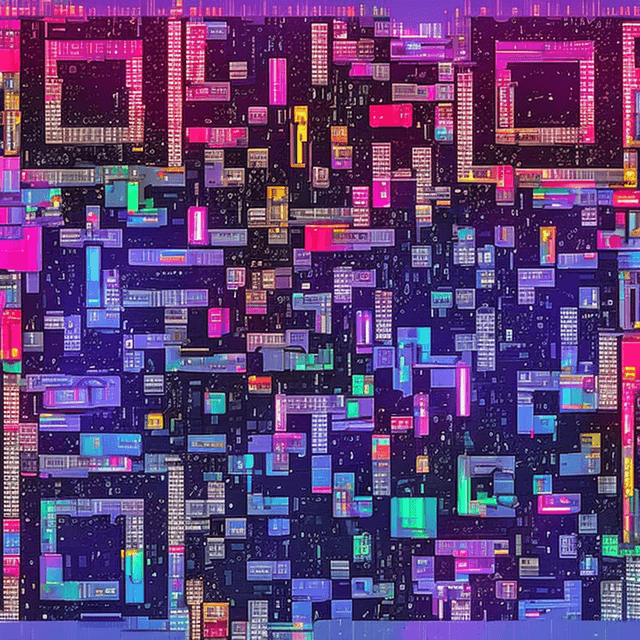
Create stunning QR codes for your events. Link to tickets, schedules, registration forms, or event apps with beautiful AI-styled codes.
How to Create Your QR Code
- 1Enter your event page, ticket link, or registration URL
- 2Pick a style that matches your event branding
- 3Generate the AI QR code
- 4Download in high resolution
- 5Use on posters, flyers, badges, or digital screens
Frequently Asked Questions
Can I use AI QR codes for concert or festival posters?
Absolutely! AI QR codes are perfect for posters because they're visually striking and draw attention. Cyberpunk City and Fantasy Castle styles work great for entertainment events.
Do the QR codes work on digital screens?
Yes! Our QR codes scan perfectly from both print and screens. Just make sure the display resolution is decent and there's no heavy glare.
Can I track how many people scan the QR code?
Use a URL shortener like Bitly before generating the QR code. That way you can track scans, location, and device data.
What size should a QR code be on a poster?
For A3 posters, at least 3x3 inches. For billboards or large banners, scale up to 8x8 inches or more for scanning from a distance.
Can I use different QR codes for different event sections?
Yes! Create separate QR codes for tickets, schedule, venue map, feedback, and sponsor info. Each can have a different style.
Ready to Create Your Events QR Code?
It takes less than 30 seconds. Free, no signup required.
✨ Create Now — FreeOther QR Code Use Cases
QR Code for Restaurant Menus
Create beautiful, scannable AI QR codes for your restaurant menu. Replace boring black-and-white codes with stunning art that matches your restaurant's brand.
QR Code for Business Cards
Make your business card unforgettable with a beautiful AI-styled QR code. Link to your portfolio, LinkedIn, or vCard.
QR Code for WiFi Networks
Share your WiFi password beautifully. Create an AI-styled QR code that guests can scan to connect instantly — no typing passwords.
QR Code for Weddings
Add a touch of magic to your wedding with beautiful AI-styled QR codes. Link to your RSVP page, photo gallery, registry, or wedding website.